

1
Go to the Products section
In the left sidebar of the Munchi Dashboard, click Products to open the product management area.
2
Open a product for editing
Find the product you want to add to Reporting Category to and click Edit (from the three dots on the left side) to open it.
3
Enter the product details
Select the “reporting” from the tabs and choose the wanted category you want it to see in the reporting. 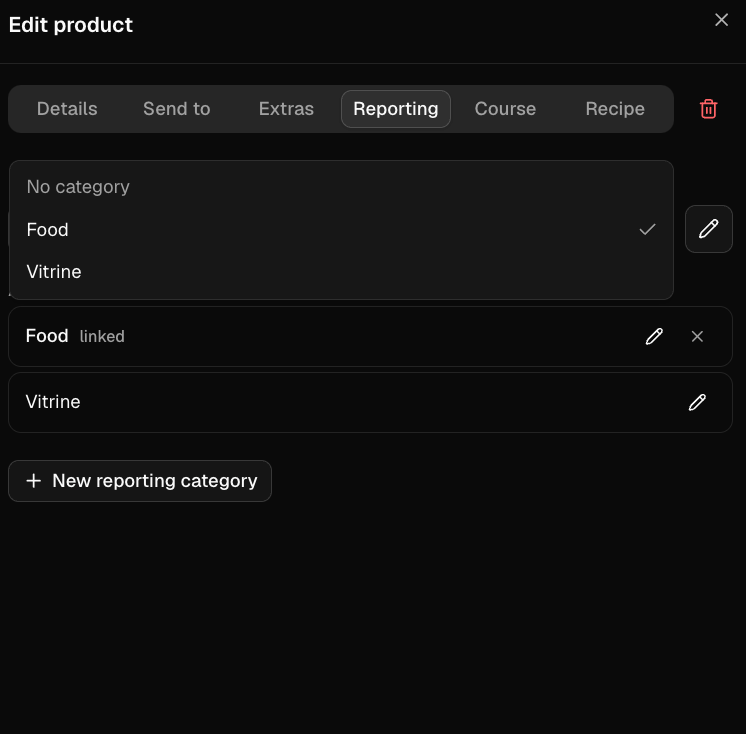
You can also create a new Reporting Category by clicking “+New reporting category”. Just make sure to save the new category so it appears in the Reporting list.
4
Save the reporting category
Click Save at the bottom to apply the Reporting Category to the product.