

1
Log in to the Munchi Dashboard
Log in to dashboard.gomunchi.com.
2
Go to the Products section
In the left sidebar of the Munchi Dashboard, click Products to open the product management area.
3
Edit a category
By clicking the three dots next to the category name → click “edit”.
4
Configure routing
Under the Send to tab, choose whether orders should: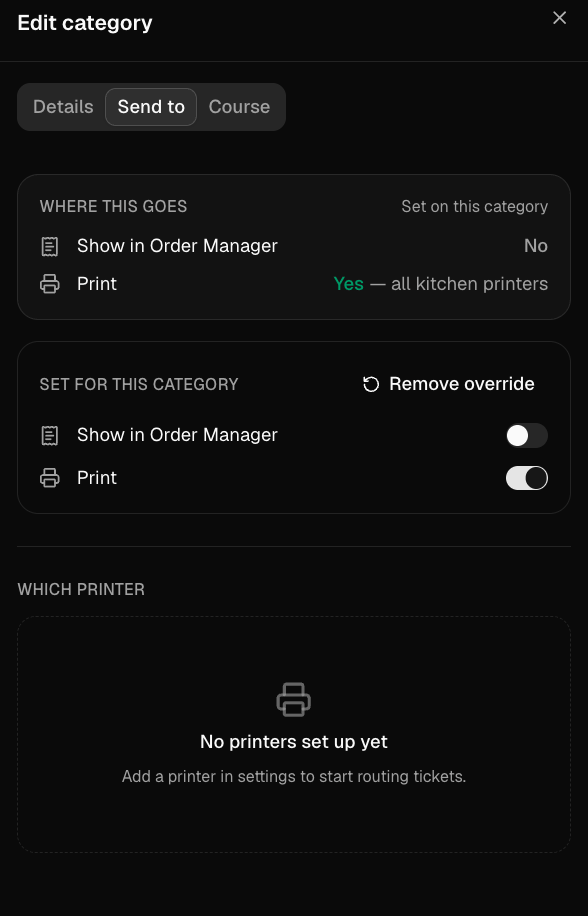
- Appear in the Order Manager
- Be printed
- Be sent to a specific printer (if printing is enabled)
5
Save and repeat
Save your changes and repeat these steps for any other categories you want to configure.