

1
open the Munchi Pay
Open the Munchi Pay app on the payment terminal.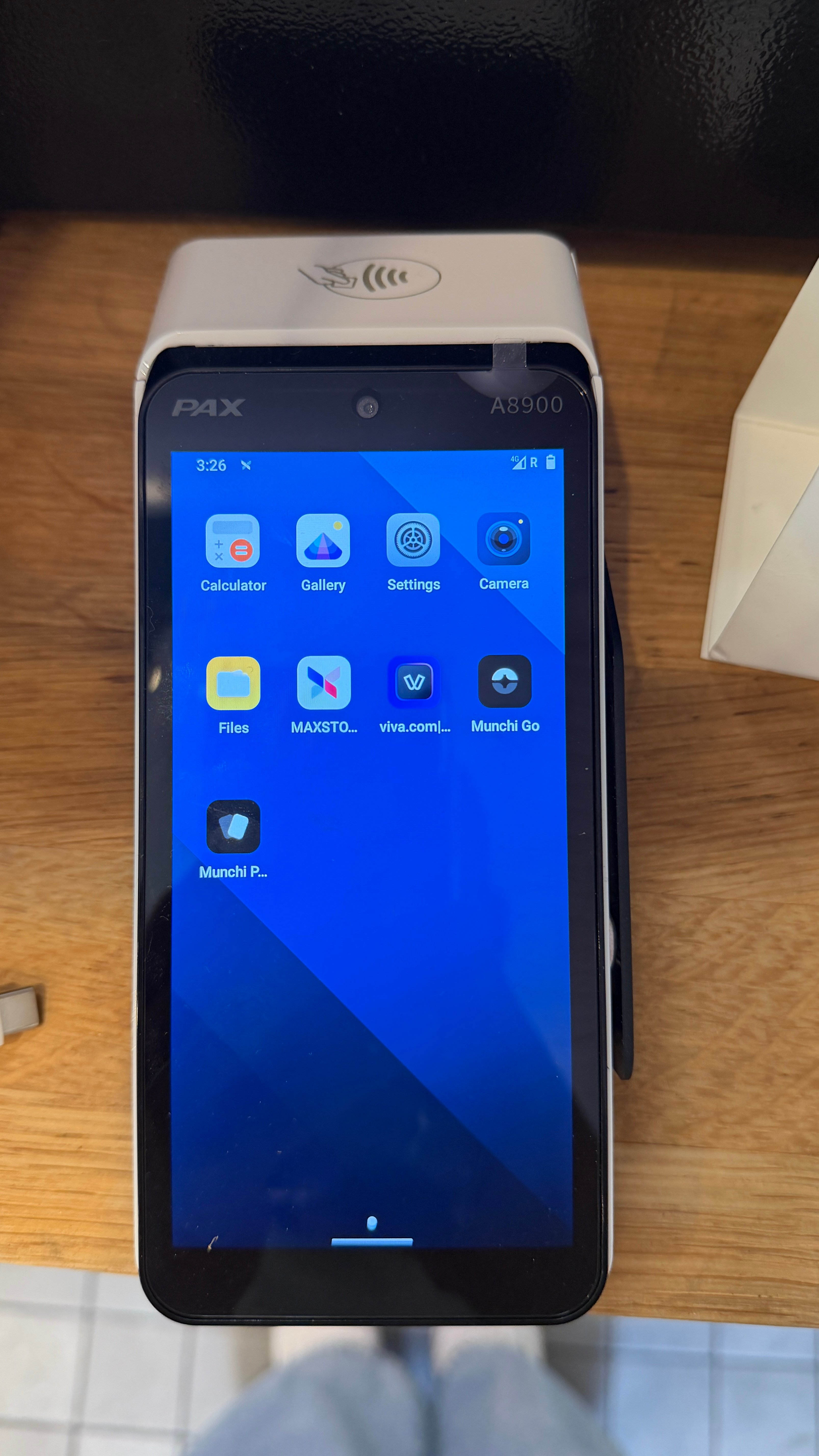
2
Open the Munchi Pay settings
In Munchi Pay, go to Settings and select Link terminal with Munchi POS (in the first line)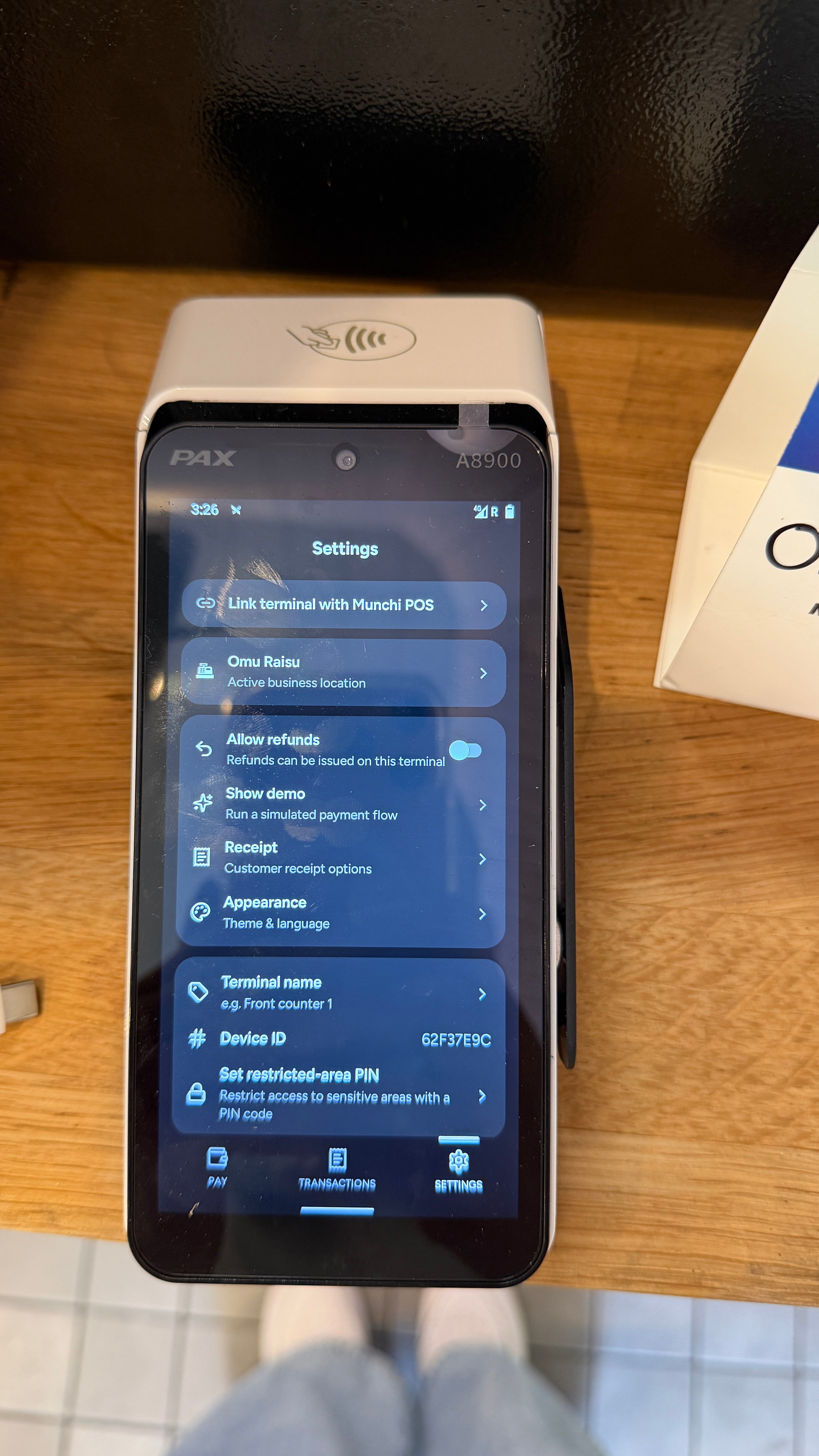
3
Pair the terminal
The payment terminal will display a 6-digit pairing code.Keep this screen open and move to the Munchi POS to continue with the next step. You will need the 6-digit code in Step 5.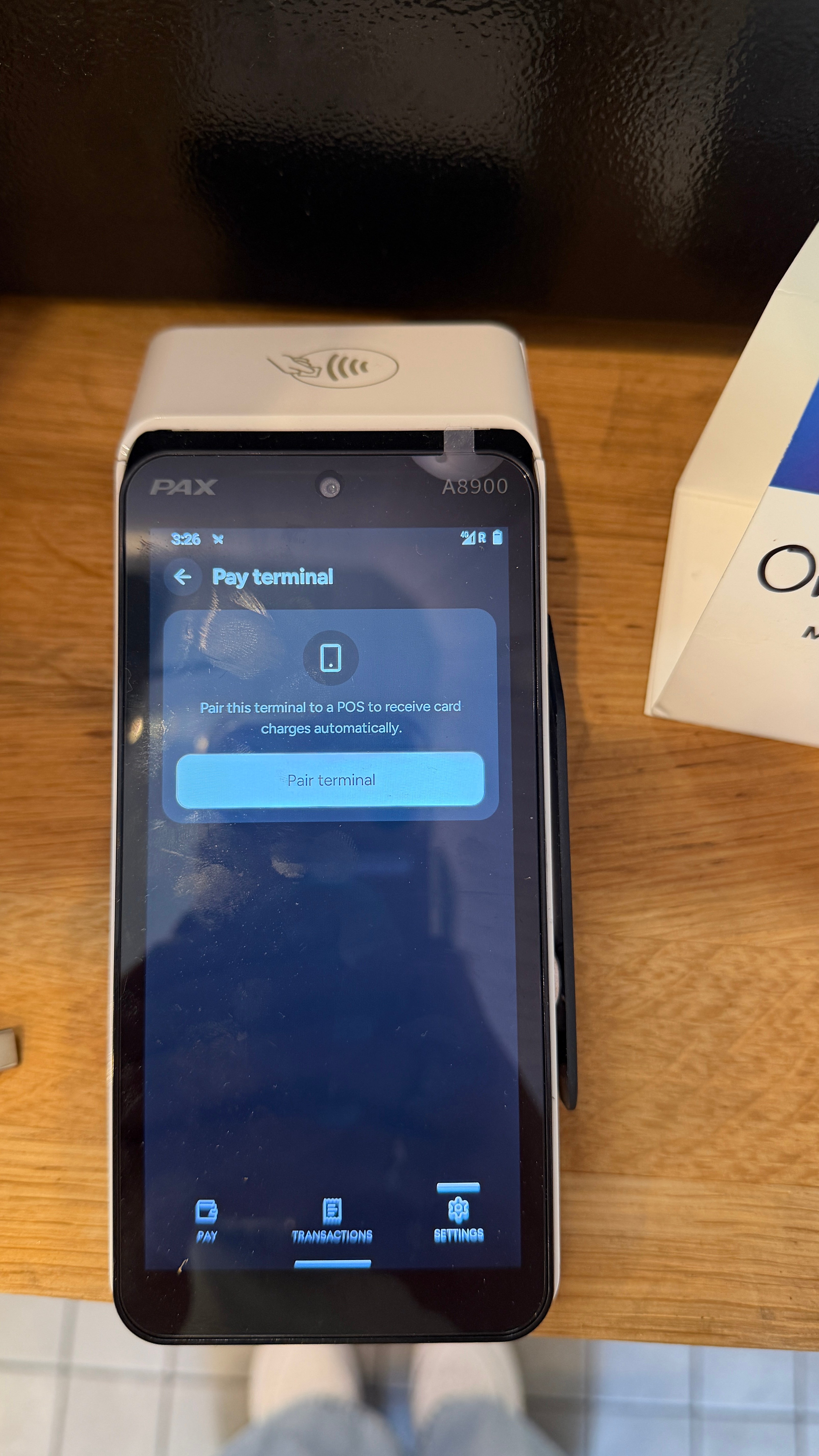
4
Open Payment Terminal settings in Munchi POS
Go to Settings → Systems → Payment terminalThen select Munchi Pay.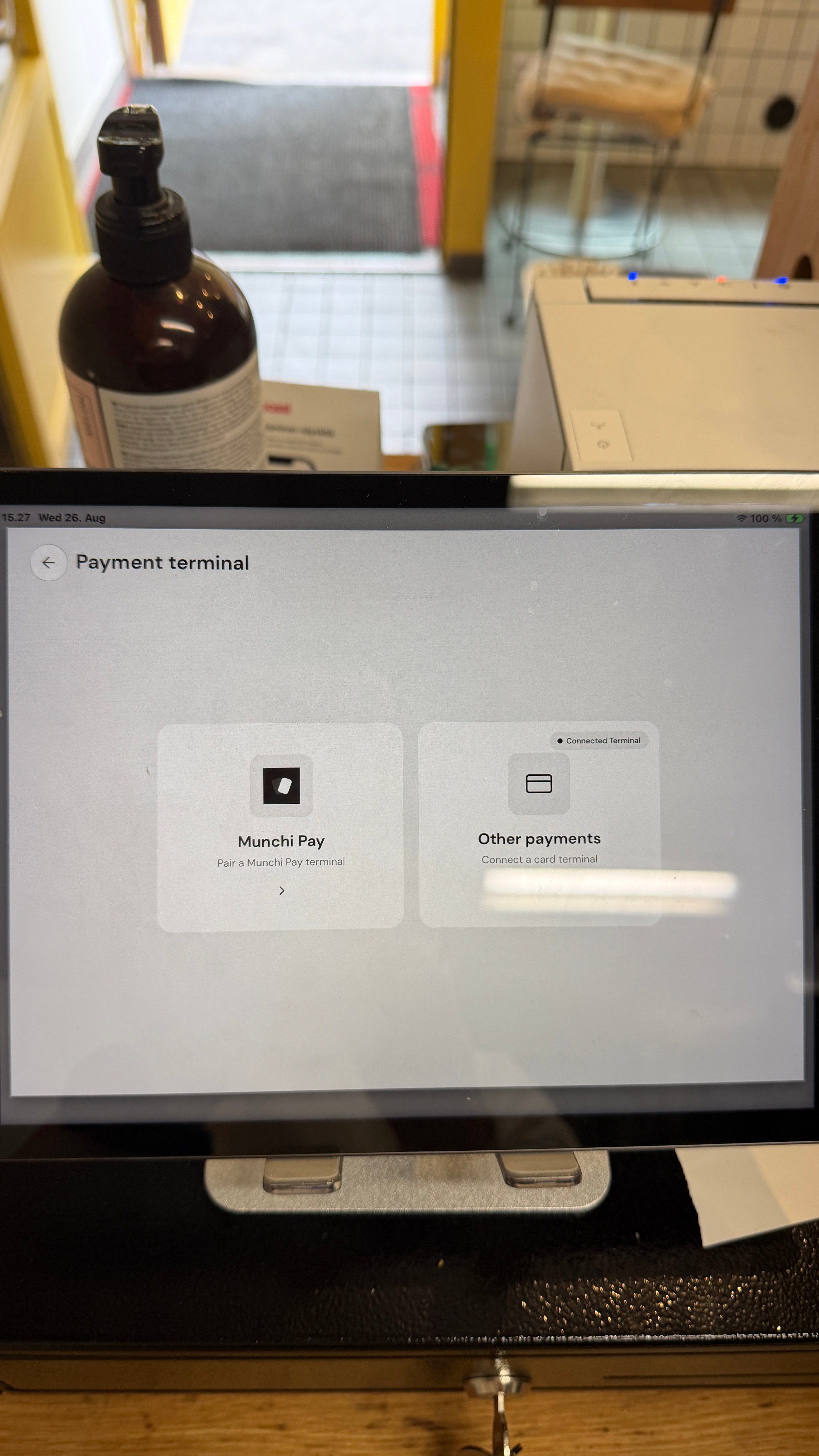
5
Enter the pairing code
Enter the 6-digit pairing code shown on the payment terminal.Once the code is entered, the Munchi Pay terminal will be connected to the Munchi POS. 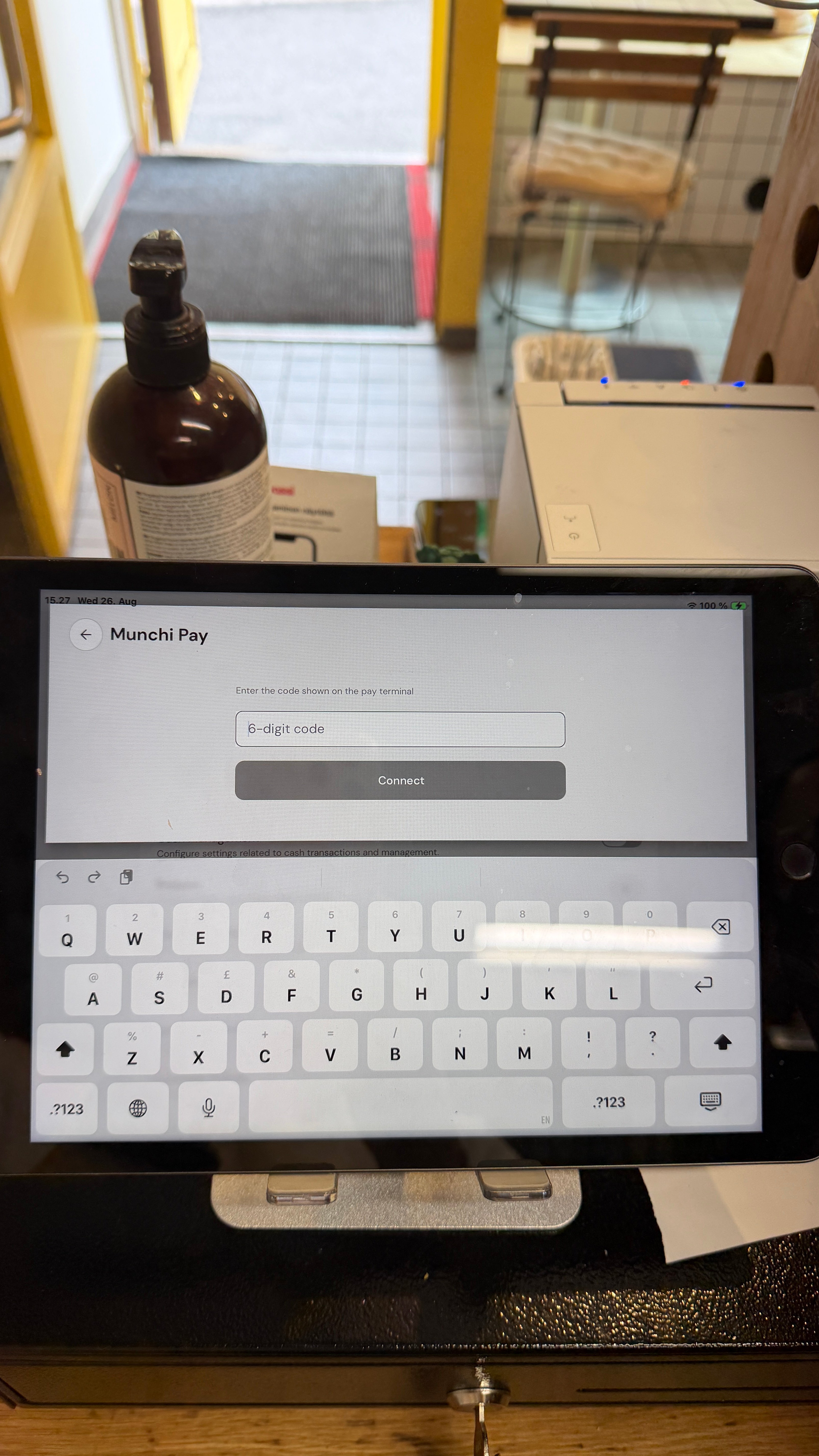
6
All done
After this screen you are ready! You can press 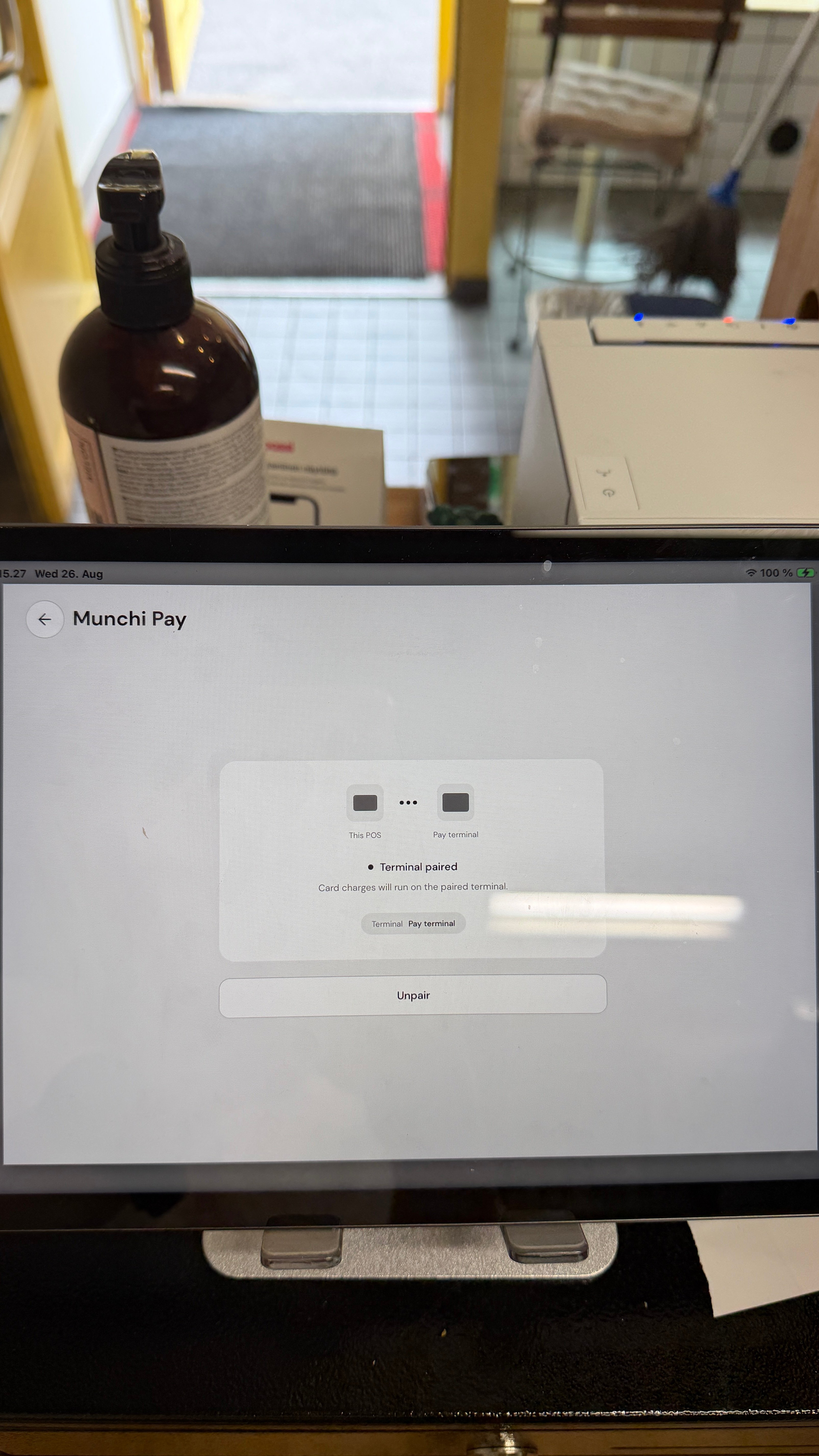
Make a test payment to confirm that the payment terminal and Munchi POS are communicating correctly.