

1
Login to Viva
Log in to Viva.com and make sure your account has been created and is ready to use.
2
Go to settings
In the left sidebar, open Settings and select Users.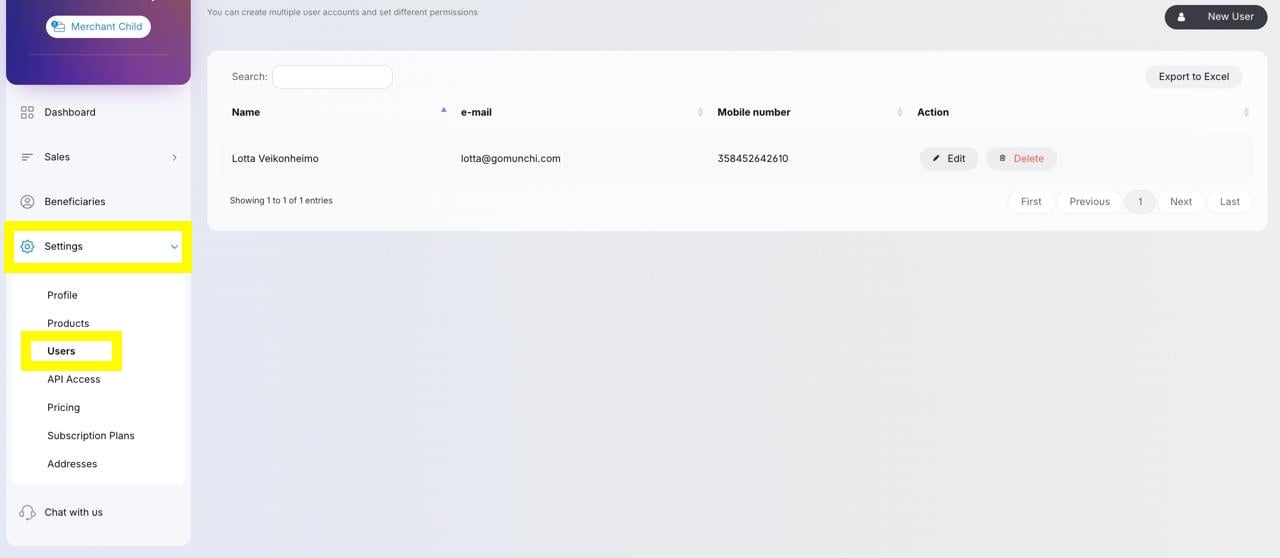
3
Add a new user
Click New user in the top-right corner.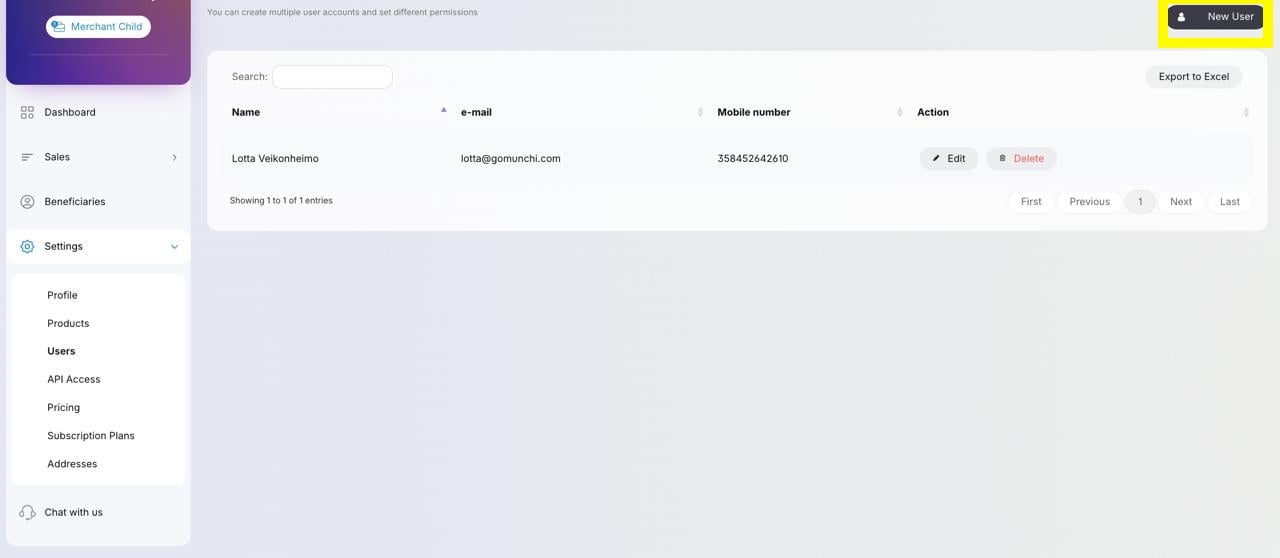
4
Enter the user details
Insert the following details to add your Operations Manager:Lotta Veikonheimo
Finland
+358452642610
lotta@gomunchi.com
13.12.1999
Sipoo
Finland
“hallinnoi tiliä”
“default”
Finland
+358452642610
lotta@gomunchi.com
13.12.1999
Sipoo
Finland
“hallinnoi tiliä”
“default”
5
Done
Correct user has now been added to the Viva account and can now prepaire your payment terminal ready to use! Let them know the step is ready.